



Last Updated: May 11, 2026
Twitter/X Downloader Summary
Best for: Downloading public tweet media from x.com/twitter.com links.
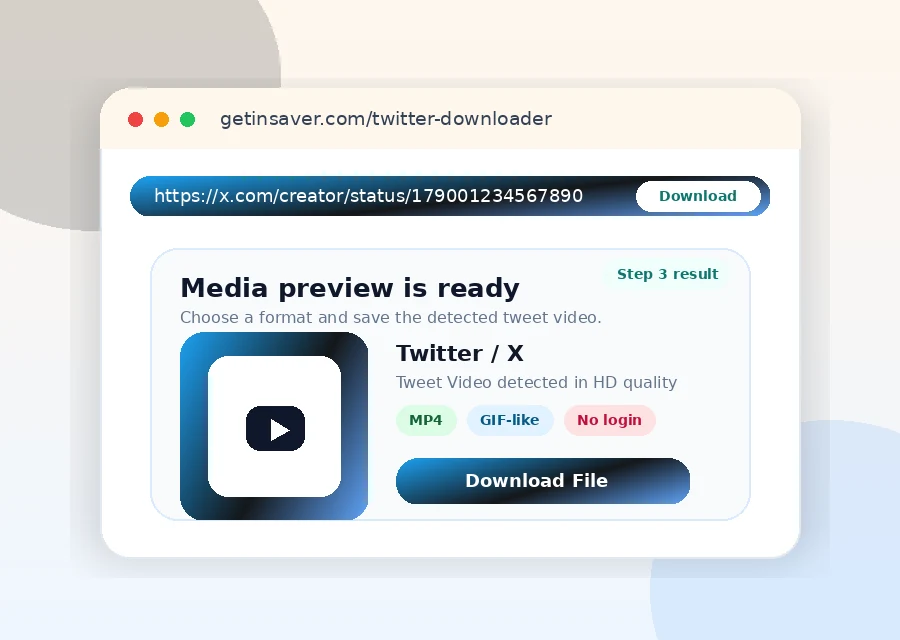
- Supports tweet video and GIF-like media
- No account login required in GetInSaver
- Works across major devices/browsers
What Can You Download with GetInSaver Twitter/X Video Downloader?
Twitter (now known as X) is the global town square where news breaks and viral moments happen in real-time. From journalistic footage and political speeches to hilarious memes and sports highlights, the platform is rich with video content. However, X does not provide a built-in way to save these videos to your hardware. GetInSaver bridges this gap, offering a powerful tool to archvive public tweet media.
1. X Videos in All Resolutions: Our downloader identifies every available resolution for a given tweet. Whether the video was uploaded in mobile-friendly 360p or crisp 1080p Full HD, we give you the option to choose the best version for your needs. This is essential for archival purposes where clarity is paramount.
2. Twitter GIFs as MP4 Files: Twitter technically converts all uploaded GIFs into small, looping video files to save space and improve playback speed. GetInSaver allows you to download these "GIFs" in their MP4 format. This makes them much easier to share on other platforms like WhatsApp, Telegram, or Discord where standard GIF files might be too large or incompatible.
3. High-Quality Journalism and News Archiving: For researchers and journalists, saving a video from a tweet can be critical for verification and documentation. GetInSaver ensures that you can keep a local copy of important events, protecting the media from being deleted by the user or hidden by platform moderation in the future.
4. Rapid Link Processing: The fast-paced nature of X demands a fast-paced tool. GetInSaver’s backend is optimized for X’s unique content delivery system, ensuring that as soon as you paste a status link, our system is already working to generate your download options.
Why GetInSaver is the Most Reliable Twitter/X Downloader?
Managing media from X is technically challenging because the platform frequently updates its API and security protocols. GetInSaver is maintained by a dedicated team of developers who ensure our tool remains functional while many other competitors frequently break or go offline.
Constant Updates and Maintenance: Social media platforms are constantly changing their code to prevent third-party tools from working. We monitor X’s infrastructure daily. If they change their link structure, we update our code within hours. This commitment to uptime is why GetInSaver is a trusted name for frequent users who rely on stable tools.
No Log-In or Permission Needed: Some browser extensions or apps ask for permission to "Read your Tweets" or "See your followers" just to download a video. This is a massive privacy red flag. GetInSaver is a web-based utility that requires zero access to your account. We only need the URL of the public tweet; everything else is handled on our secure external servers.
Lightning Fast Media Fetching: We know that when you see a viral clip on X, you want it now. Our system uses a multi-threaded approach to fetch media headers, which allows us to show you download options almost instantly. While other sites might make you wait through 15-30 seconds of "parsing," GetInSaver typically finishes the job in under five seconds.
Clean, Ad-Light Experience: Many Twitter downloaders are notorious for having "malicious" ads or deceptive buttons. At GetInSaver, we prioritize user safety. Our advertisements are vetted and small, ensuring they never block the download button or trick you into clicking something else. We provide a premium user experience at zero cost to you.
Expert Tips for Saving X Videos
Navigating X's ecosystem can be tricky. Use these expert strategies to make your downloading process even more efficient and ensure you always get the right file.
Copying Links from the Share Menu: On the X mobile app, tap the 'Share' icon (the bracket with an upward arrow) and select 'Copy Link'. If you are viewing a thread, make sure you are copying the link to the specific tweet that contains the video, not just the parent tweet or the profile URL.
Direct Link Method: If you are on a desktop, you can often right-click the timestamp of the tweet (e.g., "2 hours ago") and select 'Copy Link Address'. This is often faster than opening the tweet and copying from the address bar, especially when browsing a long and complex feed.
Saving DM Videos: Please note that GetInSaver, like all public downloaders, cannot access videos sent in Direct Messages (DMs). For privacy and security reasons, our tool only works on public tweets that are accessible to the general internet without a login.
Browser Performance: If the download button doesn't seem to respond, check if you have an aggressive ad-blocker or script-blocker active. While we try to be as compatible as possible, some browser plugins might accidentally block the "Fetch" request that our site sends to find the video file.
Quality Options & Technical Formats for X
When you use GetInSaver for X, we provide you with a list of available qualities based on what the original uploader provided to the platform. We always recommend choosing the highest bitrate for the best experience.
| Quality Label | Resolution | Best For |
|---|---|---|
| High Quality (HD) | 720p / 1080p | Large screens, Editing |
| Standard (SD) | 480p / 360p | Mobile sharing, low data |
All video downloads from X are provided in MP4 format. This ensures that you can play them on any device without needing to install specialized media players like VLC or MX Player, although those work perfectly as well!
Related Free Social Media Downloaders
Frequently Asked Questions – Twitter/X Downloader
How do I download Twitter/X videos?
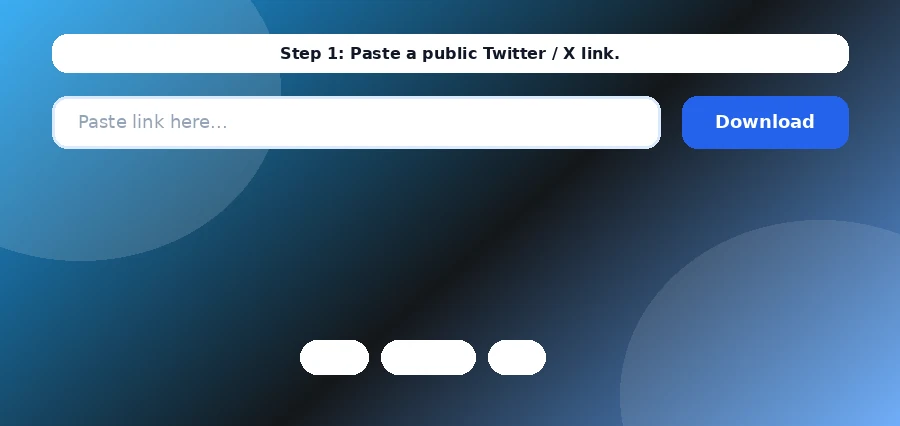
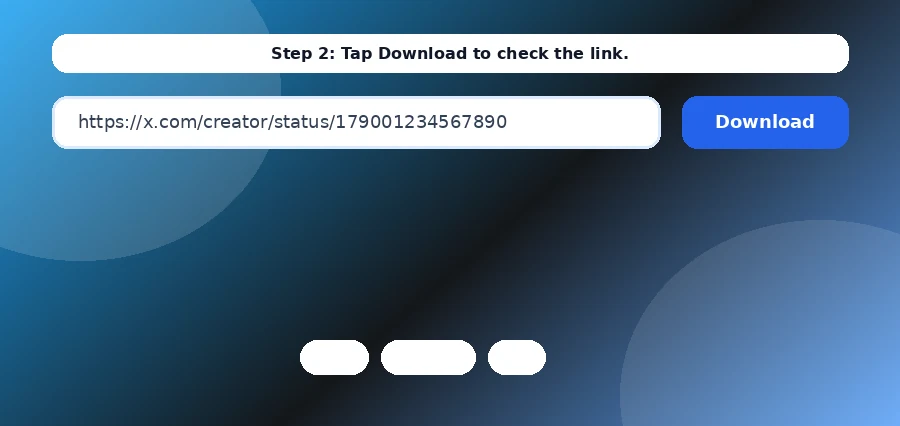
Copy the public tweet URL, paste it in the input field, and click Download. GetInSaver processes and returns available media files.
Can I download GIF tweets?
Yes. Twitter GIF-like media is typically delivered as MP4 and can be downloaded when publicly accessible.
Why is a tweet URL not working?
The tweet may be private, deleted, age-restricted, region-limited, or temporarily unavailable from the source.
Can I choose quality?
When multiple source variants are available, GetInSaver may provide selectable download options.
What output format is used?
Most Twitter/X videos are provided as MP4 for compatibility across devices.
Do I need to sign in to X?
No. GetInSaver does not require your X/Twitter account credentials.
Is this downloader mobile-ready?
Yes. It works in modern mobile and desktop browsers.
Downloader Reliability Notes
For stable Telegram download results, always use the original public post URL and avoid shortened links when possible. If a file does not load on the first try, refresh once and submit the same link again after a few seconds. Source availability can change quickly when posts are edited, removed, or region-limited. GetInSaver is designed to process publicly accessible media only and does not bypass private access controls. For teams, the best workflow is to keep a shared list of verified links, downloaded filenames, and timestamps so nothing is lost. This simple process improves consistency, reduces retry time, and keeps your archive clean and traceable across desktop and mobile devices.
If you run repetitive downloads every day, create a practical checklist: validate URL format, confirm source visibility, retry once on transient failure, and store output with a predictable naming scheme. A consistent checklist eliminates random results and makes troubleshooting much faster. For content teams, this matters because delayed retrieval can break publishing schedules. You should also keep platform-specific folders and a weekly cleanup routine to avoid duplicate files and stale assets. On mobile devices, prioritize stable networks before downloading large media and ensure enough free storage is available. On desktop, batch your review process: validate links first, then execute downloads, then quality-check all outputs in one pass. This structure saves time and reduces human error. GetInSaver works best when used as part of a repeatable workflow rather than ad-hoc one-off actions. The goal is not only successful downloads, but reliable operations you can scale safely.
Another recommendation is to document source context for each downloaded file: original URL, capture date, and intended use case. This simple metadata discipline helps future audits, improves searchability inside your archive, and prevents accidental misuse of outdated or removed content. If a platform updates delivery behavior, your historical notes help isolate change impact quickly. For high-volume users, maintain a small quality rubric for every file: playable status, resolution expectation, audio sync, and duplicate check. With this method, your archive remains usable over time instead of becoming a large unstructured folder. GetInSaver is optimized for practical execution, and these operational habits maximize that advantage across Pinterest, X/Twitter, Telegram, and story-driven workflows.