



Last Updated: May 26, 2026
Instagram Downloader Summary
Best for: Downloading public Instagram Reels, videos, and photos from direct links.
- Supports public Reel/post URLs
- No Instagram login required in GetInSaver
- Mobile and desktop friendly workflow
What Can You Download with GetInSaver Instagram Downloader?
GetInSaver Instagram Downloader is a versatile and robust utility designed to cater to the diverse needs of Instagram users who wish to preserve digital content for offline viewing, creative inspiration, or personal archiving. With the rapid evolution of Instagram from a simple photo-sharing app to a complex multi-media platform, the variety of content available has expanded significantly. Our tool is meticulously engineered to support every major content type hosted on Instagram's servers.
1. Instagram Reels: Reels have quickly become the most popular feature on Instagram, offering short, engaging video clips often set to trending music. GetInSaver allows you to download these Reels in full High Definition (HD) quality. We ensure that both the video track and the high-fidelity audio are preserved perfectly, allowing you to enjoy viral trends or educational clips even without an active internet connection. This is particularly useful for content creators who look to analyze editing styles or for fans who want to keep their favorite moments saved locally.
2. High-Resolution Photos and Carousels: While taking a screenshot might seem like a quick fix, it often results in significant quality loss and the inclusion of unwanted UI elements like the "Like" button or comment icons. GetInSaver fetches the raw, original JPEG or PNG file directly from the source. For carousel posts—those containing up to ten photos or videos—our tool identifies each individual piece of media, allowing you to save the entire collection in one go or pick only the best shots from the set.
3. Standard Videos and IGTV: Whether it is a short 15-second clip or a long-form IGTV documentary, GetInSaver handles video files of all durations. We prioritize retrieving the highest possible bitrate version available, ensuring that the visual clarity remains sharp when played back on larger screens like tablets or desktop monitors. This feature is a favorite among professional researchers and social media managers who need to archive brand assets efficiently.
4. Instagram Stories: Stories are designed to be ephemeral, disappearing after 24 hours. However, some moments are too precious to lose. GetInSaver enables you to save these fleeting updates before they vanish into the digital ether. By simply providing the link to an active story, you can secure a permanent copy in your device's gallery, ensuring your digital memories remain intact forever.
Why Choose GetInSaver as Your Primary Instagram Downloader?
In a saturated market of online downloaders, choosing the right tool is essential for maintaining both your device's security and the quality of your saved media. GetInSaver distinguishes itself through a commitment to user experience, privacy, and technical excellence. Here is why thousands of users prefer GetInSaver over other alternatives like SnapInsta or iGram.
Superior Privacy and Security: Most competing tools require you to log in with your Instagram credentials to access "extra" features. This poses a significant security risk, as your password could be compromised. GetInSaver is built on a "Public Access" model. We never ask for your username, password, or email. You can use our service with absolute anonymity, knowing that your browsing history and personal identity remain shielded from third parties and our own servers.
Optimized Speed and Efficiency: Time is a valuable resource. We have invested heavily in a distributed server architecture that minimizes latency. When you paste a link into GetInSaver, our system immediately pings the nearest data center to fetch your media. While other tools might force you to sit through multiple "processing" bars or intrusive overlay ads, GetInSaver focuses on a streamlined, one-click delivery path. Our interface is clean, fast, and free of the visual clutter that plagues many legacy downloading sites.
Uncompromised Media Quality: Many downloaders compress files to save on their own bandwidth costs. This leads to pixelated videos and blurry photos. At GetInSaver, we believe the user deserves the original quality. If a video was uploaded in 1080p, that is exactly what you get. We do not re-encode or downsample your media. This dedication to "True-Quality" downloads makes us the preferred choice for photographers, videographers, and high-end consumers who value visual fidelity.
Truly Free and Limitless: Some "free" tools actually limit you to 3-5 downloads per day unless you pay for a premium subscription. GetInSaver offers unlimited downloads without any hidden fees. Whether you need to save one video or an entire profile's worth of content, our service remains open and free for everyone, supported by a few non-intrusive ads that do not interfere with the core functionality.
Tips & Tricks for Archiving Instagram Content
To maximize your efficiency when using GetInSaver, we have compiled a list of professional tips and best practices that will help you save content like an expert. Following these steps ensures high success rates and better organization of your digital assets.
Mastering the Link Copy Process: On the Instagram mobile app, the fastest way to get a link is to tap the 'Share' icon (the paper airplane) and select 'Copy Link'. If you are on a desktop browser, you can simply copy the URL directly from the address bar. Make sure the URL contains the identifier 'reels', 'p', or 'tv' to ensure our system correctly routes your request.
Using Safari on iOS (iPhone/iPad): For Apple users, we recommend using the Safari browser. After clicking 'Download', you may see a prompt asking if you want to download the file. Once you confirm, the file will be found in your 'Downloads' folder within the 'Files' app. From there, you can easily save it to your Photos app by tapping the share button and selecting 'Save Video'.
Handling High-Definition (HD) Content: High-quality 1080p videos can be large, sometimes exceeding 50MB for longer clips. If you are on a limited mobile data plan, we suggest performing your downloads while connected to a stable Wi-Fi network. This prevents data overages and ensures the download doesn't time out due to a weak cellular signal.
Managing Browser Cache: If you find that a link isn't working or the page feels slow, a quick refresh of the browser or clearing your temporary site data for getinsaver.com can resolve most minor glitches. Our team updates the tool frequently to keep up with Instagram's server changes, so keeping your browser up-to-date also helps significantly.
Supported Formats & Download Quality
GetInSaver supports a wide range of file formats to ensure maximum compatibility with your devices, whether you’re using a high-end PC, a modern smartphone, or an older tablet. Our system automatically detects the source file type and presents it in the most widely accepted standard.
The MP4 format used for videos is globally recognized, meaning your downloaded files will play instantly on iOS, Android, Windows, Mac, and even smart TVs. We ensure that metadata like upload dates and original audio titles are often preserved within the file structure for better organization.
Related Free Social Media Downloaders
Frequently Asked Questions – Instagram Downloader
How do I download Instagram Reels and videos with a link?
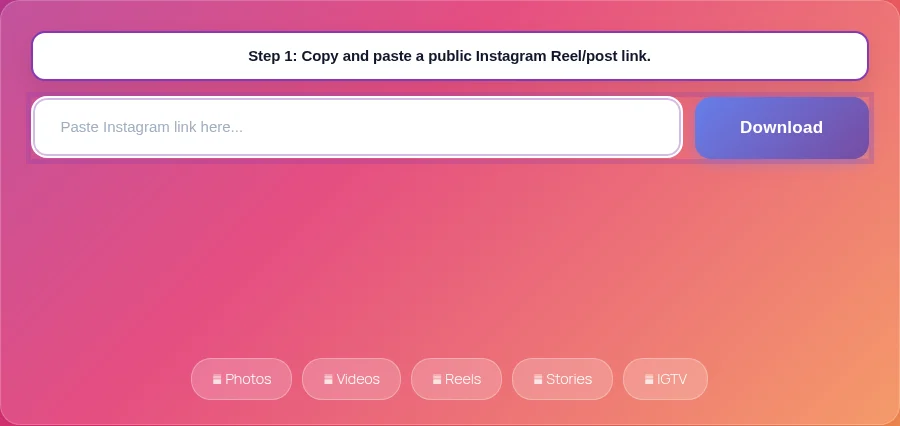
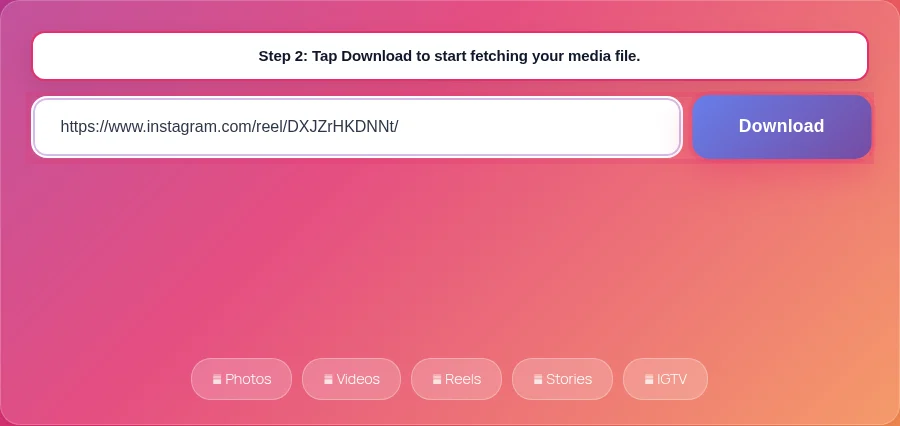
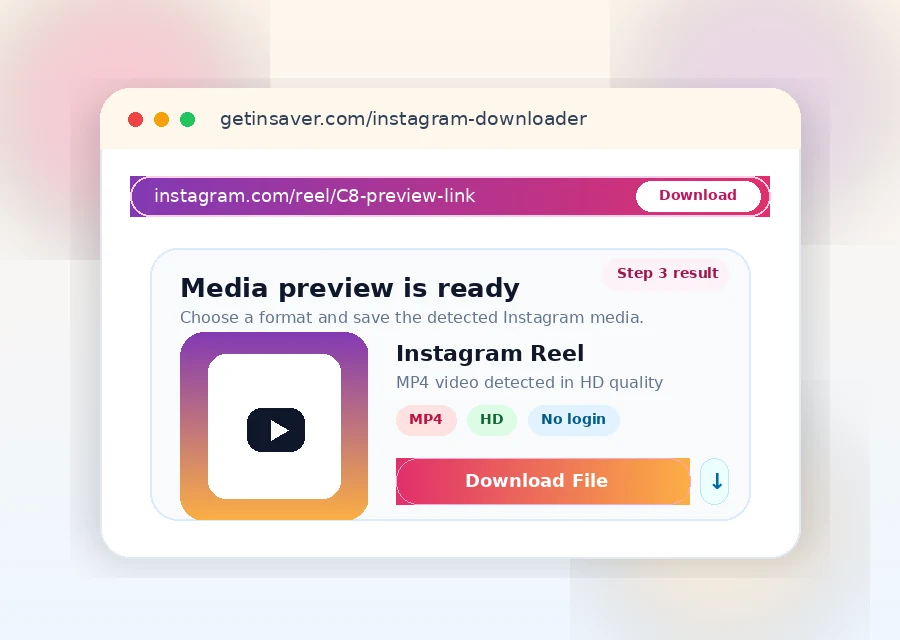
Copy a public Instagram Reel/post URL, paste it in the input box, and click Download. GetInSaver processes the link and returns the media file when available.
Can I download carousel posts with multiple slides?
Yes. For supported carousel posts, GetInSaver detects multiple items and provides downloadable files for each slide.
Why does an Instagram link fail?
Common causes are private accounts, deleted posts, invalid URL format, or temporary upstream delivery issues. Use the original public link and retry.
Is this Instagram downloader safe?
Yes. GetInSaver does not request Instagram password or account login. You only submit a public URL.
What output formats are provided?
Videos are typically delivered as MP4. Images are returned in source formats such as JPG/PNG when available.
Does it work on iPhone and Android?
Yes. It works in modern mobile browsers. On iPhone files usually appear in Files/Downloads; on Android in the Downloads folder.
Is there a daily limit?
No fixed per-user daily quota is enforced by GetInSaver.