Dailymotion
Dailymotion Video Downloader - Free HD
Save public Dailymotion videos as MP4 with sound, up to 720p. Paste the video link. Free, no login, no app.
- Free
- No login
- MP4 with sound
- iPhone, Android & PC

How to download a Dailymotion video
-
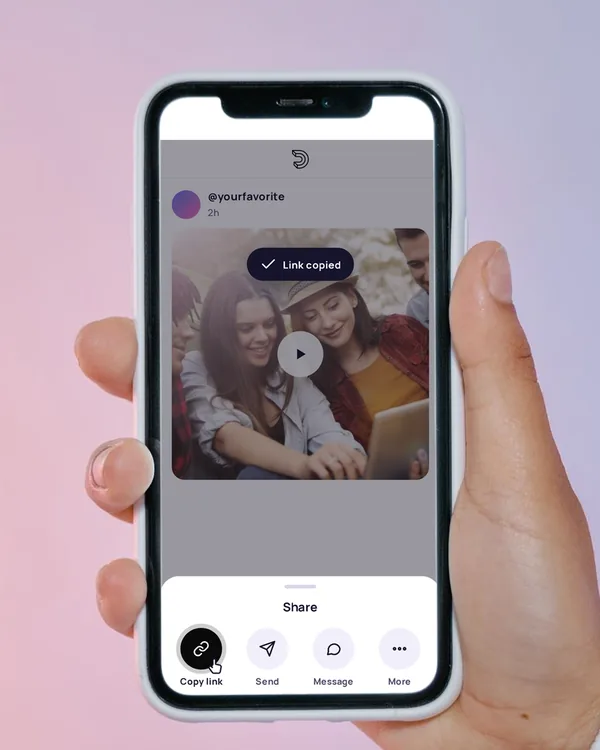
Copy the video link
Under the video, tap Share, then Copy link. On a computer, copy the address from the browser bar.
-
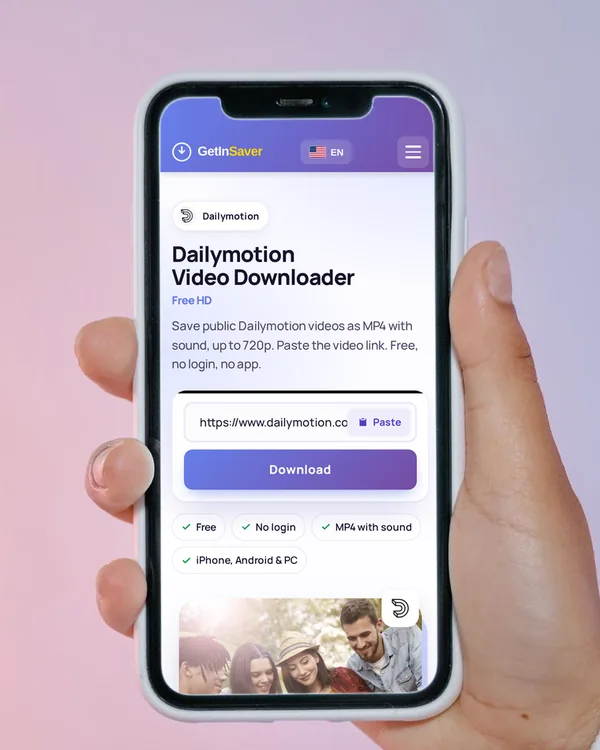
Paste it here
Tap Paste above, or press and hold the box and paste. The download starts on its own.
-
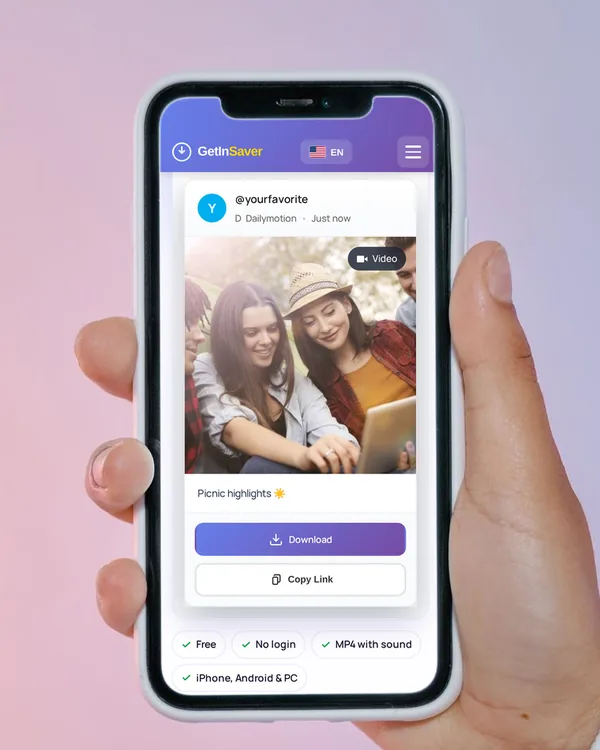
Save the video
Tap Download. The video saves as an MP4 with its sound.
In Safari, tap Download, then open Files › Downloads, open the video and choose Save Video to add it to Photos.
In Chrome, the MP4 goes to the Downloads folder and shows up in your Gallery a moment later.
The file saves to your Downloads folder. Right-click › Save as if your browser asks where to put it.
What you can save from Dailymotion
Public videos
One MP4 with sound, up to 720p.
Short links
dai.ly links work just like full dailymotion.com links.
News, sport and music
Clips from public channels of every kind.
Not possible
- Private and removed videos
- Videos blocked in our server’s country
- Playlists and channel pages
- Live streams
Links that work
dailymotion.com/video/x8abcde- dai.ly/x8abcde
A playlist or channel lists many videos. Open the one you want and copy its link.
Tips for saving the right file
Very long videos
Files over about 90 MB can’t be prepared, so very long videos may fail. Clips and episodes up to a few minutes are fine.
Region blocks
Our server is in Europe. A video blocked there can’t be fetched, even if it plays where you are.
Copy from Share
Share › Copy link gives the exact video.
Keep the tab open
We prepare the MP4 on our server. It takes a few seconds, longer for long videos.
If the download doesn’t work
- “This Dailymotion link is not publicly downloadable right now”
- The video is private, removed, or blocked in our server’s country.
- “The source service took too long to respond”
- Dailymotion was slow. Wait a moment and try again.
- A long video fails
- It may be too big to prepare. Try a shorter one.
- A playlist link fails
- Playlists are lists. Open one video and copy its own link.
Frequently asked questions
Is the Dailymotion downloader free?
Yes. You can download as many public videos as you normally need without paying or signing up.
Do I need a Dailymotion account?
No. Paste the link of a public video and download.
What quality will I get?
One MP4 with sound, up to 720p.
Do dai.ly links work?
Yes. Short links work just like full links.
Can I download a whole playlist?
No. Open each video and copy its own link.
Why does a video say it is not downloadable?
It may be private, removed, or blocked in the country where our server is.
Will the creator know I saved their video?
No. Dailymotion does not notify anyone when a video is downloaded here.
How do I save a Dailymotion video to my iPhone Photos?
After Download, open the Files app › Downloads, open the video, tap Share and choose Save Video.
Download only what you have the right to keep, and credit the creator when you share.