Threads
Threads Video Downloader - Public Posts
Save videos, photos and carousels from public Threads posts. Videos come as MP4 with sound, photos as JPG. Free, no login.
- Free
- No login
- Videos & photos
- iPhone, Android & PC

How to download from Threads
-
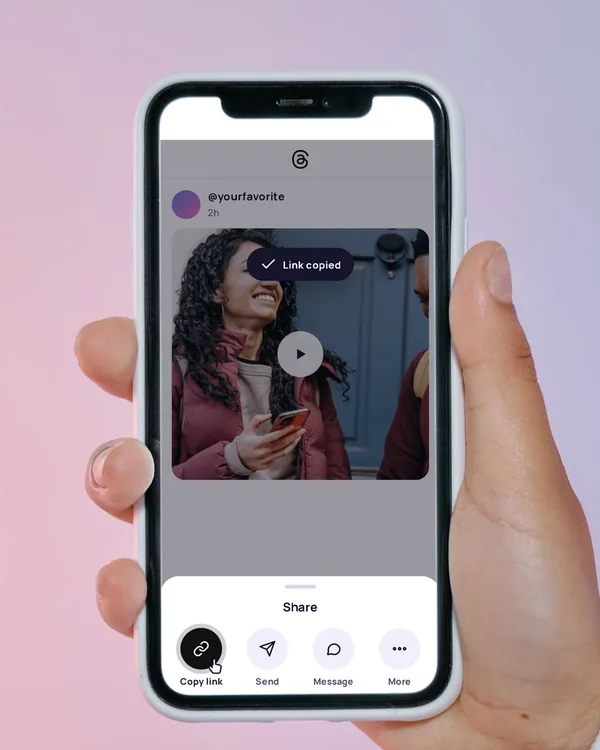
Copy the post link
On the post, tap Share (the paper plane), then Copy link. On a computer, copy the address from the browser bar.
-
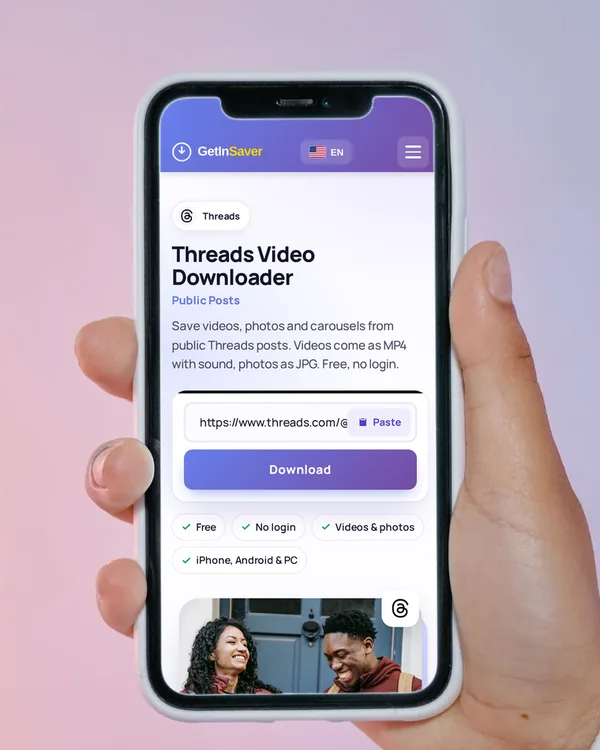
Paste it here
Tap Paste above, or press and hold the box and paste. The download starts on its own.
-
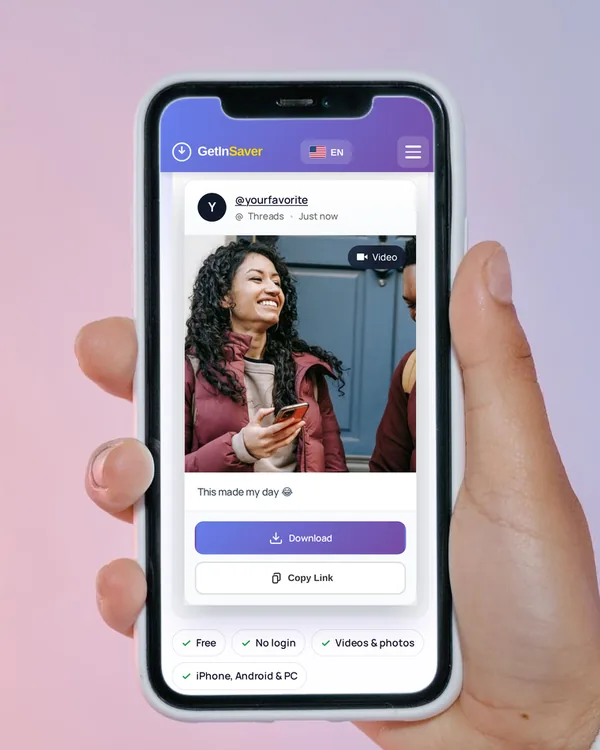
Save the post
Tap Download. Videos save as MP4, photos as JPG. A carousel gets a Download all button.
In Safari, tap Download, then open Files › Downloads, open the video and choose Save Video to add it to Photos.
In Chrome, the MP4 goes to the Downloads folder and shows up in your Gallery a moment later.
The file saves to your Downloads folder. Right-click › Save as if your browser asks where to put it.
What you can save from Threads
Videos
MP4 with sound, in the largest size the post offers.
Photos
JPG in the largest size the post offers.
Carousels
Every photo and video in the post, up to 20, with a Download all button.
Not possible
- Posts from private profiles
- Text-only posts
- Profile links (one post at a time)
Links that work
threads.com/@username/post/ABC123…threads.net/@username/post/ABC123…(the old address works too)- Links ending in /media or with ?xmt=…
A profile link (threads.com/@username) is not a post. Open the post itself and copy its link.
Tips for saving the right file
Save it right away
The file links come straight from Threads and expire after a while, so save the files when they are ready.
Carousels in one tap
For a post with several photos or videos, use Download all instead of saving one by one.
Both addresses work
threads.com and the old threads.net links lead to the same post.
Keep the tab open
Most posts are ready in a few seconds. Wait for the result before you leave the page.
If the download doesn’t work
- “Please paste the link of a public Threads post”
- You pasted a profile or another page. Copy the post’s own link.
- “Threads did not show this post”
- The post may be private or deleted. Check the link and try again in a minute.
- “…has no photo or video to download”
- The post is text only. There is no file to save.
- It takes a while
- Threads can be slow to answer. Keep the page open until the result appears.
Frequently asked questions
Is the Threads downloader free?
Yes. You can download as many public posts as you normally need without paying or signing up.
Do I need a Threads or Instagram account?
No. Paste the link of a public post and download. We never ask for your login.
Can I download Threads photos too?
Yes. Photos save as JPG, and carousels with several photos or videos come with a Download all button.
Do threads.net links still work?
Yes. The old threads.net address and the new threads.com address both work.
Can I download posts from private profiles?
No. Only people the account approves can see them, so we can’t reach them.
Does the video have sound?
Yes. Videos save as MP4 with their sound.
Will the person know I saved their post?
No. The files are fetched by our server, and Threads does not notify anyone.
How do I save a Threads video to my iPhone Photos?
After Download, open the Files app › Downloads, open the video, tap Share and choose Save Video.
Download only what you have the right to keep, and credit the creator when you share.