Facebook Video Downloader - Public HD
Save videos and Reels from public Facebook pages and posts as MP4 with sound. Free, no login, no app.
- Free
- No login
- Videos & Reels
- iPhone, Android & PC

How to download a Facebook video
-
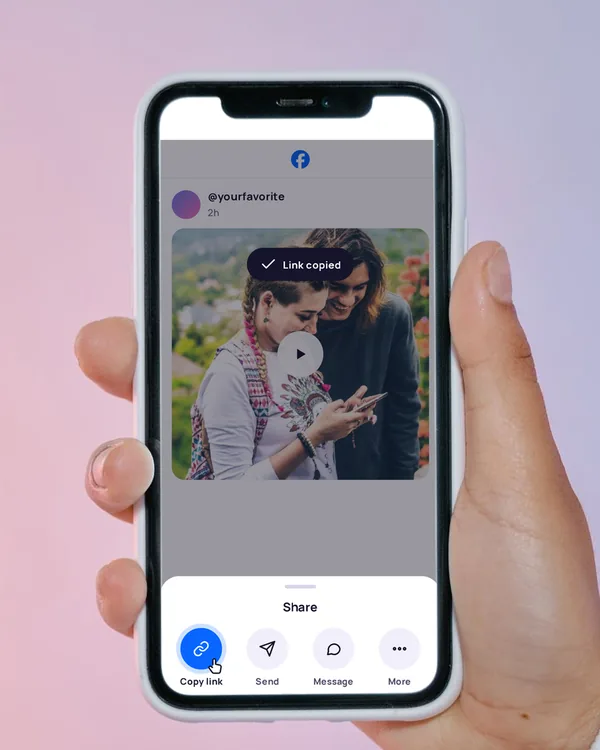
Copy the video link
On the video, tap Share, then Copy link. On a computer, copy the address from the browser bar.
-
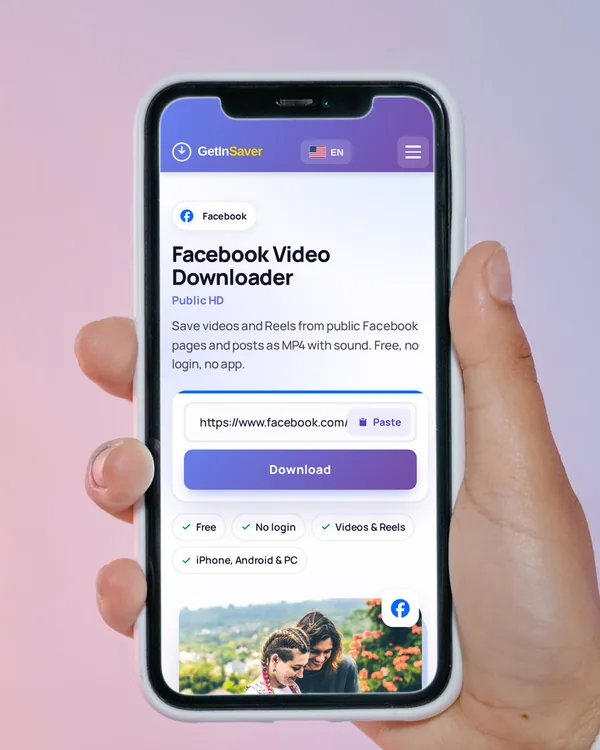
Paste it here
Tap Paste above, or press and hold the box and paste. The download starts on its own.
-
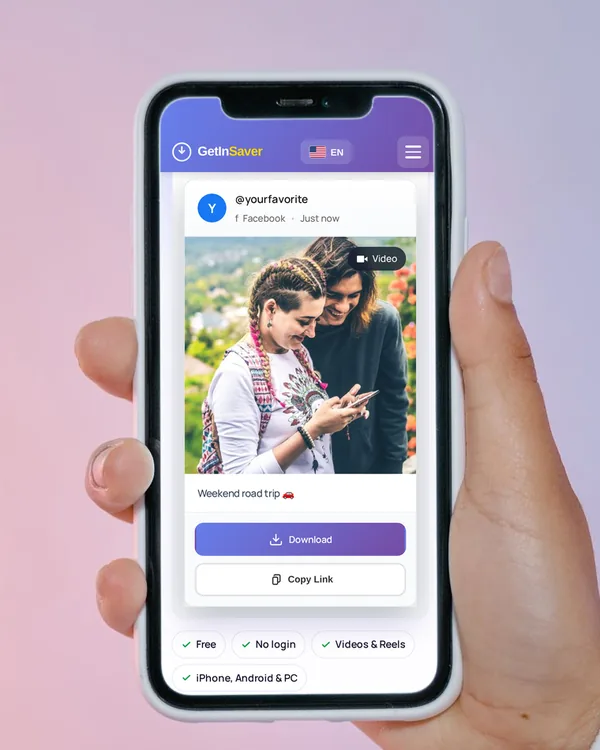
Save the video
Tap Download. The video saves as an MP4 with its sound.
In Safari, tap Download, then open Files › Downloads, open the video and choose Save Video to add it to Photos.
In Chrome, the MP4 goes to the Downloads folder and shows up in your Gallery a moment later.
The file saves to your Downloads folder. Right-click › Save as if your browser asks where to put it.
What you can save from Facebook
Videos
One MP4 with sound, in the quality Facebook offers for the post.
Reels
Public Facebook Reels save the same way, as MP4.
Pages and public posts
Videos from public pages, public posts and Watch.
Not possible
- Private profiles and private groups
- Posts only friends can see
- Photos and albums (videos only)
- Stories
Links that work
facebook.com/pagename/videos/1234567890…facebook.com/watch/?v=1234567890…facebook.com/reel/1234567890…m.facebook.com/…mobile links
Got a short share link from the app? Open it in your browser first, then copy the full address from the address bar.
Tips for saving the right file
Save it right away
The download link Facebook gives us expires after a few days, so save the file as soon as it is ready.
Public is the key
If you have to be logged in or a friend to see the video, it can’t be downloaded.
Reels work too
Copy the Reel’s link from its Share menu, the same as any video.
Keep the tab open
Most videos are ready in a few seconds. Wait for the Download button before you leave the page.
If the download doesn’t work
- “…not publicly downloadable right now”
- The video is private, friends-only, or removed. Only public videos can be saved.
- It’s a photo post
- This downloader saves videos. Photos and albums are not supported.
- “The source service took too long to respond”
- Facebook was slow. Wait a moment and try again.
- The link doesn’t work
- Open the video, copy its link again from Share › Copy link, and paste the full address.
Frequently asked questions
Is the Facebook video downloader free?
Yes. You can download as many public videos as you normally need without paying or signing up.
Do I need a Facebook account?
No. Paste the link of a public video and download. We never ask for your Facebook login.
Can I download Facebook Reels?
Yes. Public Reels save as MP4 with sound, just like other videos.
Can I download private videos or videos from private groups?
No. If you have to log in or be a friend to see it, we can’t reach it.
What quality will I get?
One MP4 in the quality Facebook offers for that post. There is nothing to choose.
Will the person know I downloaded their video?
No. The file is fetched by our server, and Facebook does not notify anyone.
Can I download Facebook photos?
No. This downloader saves videos and Reels only.
How do I save a Facebook video to my iPhone Photos?
After Download, open the Files app › Downloads, open the video, tap Share and choose Save Video.
Download only what you have the right to keep, and credit the creator when you share.