


Last Updated: October 13, 2026
TikTok Downloader Summary
Best for: Downloading public TikTok media from direct links in a fast workflow.
- Supports public TikTok URLs
- Clean output with broad compatibility
- Mobile and desktop optimized
What Can You Download with GetInSaver TikTok Downloader?
TikTok is a powerhouse of creative, viral, and educational short-form video content. However, the platform's native saving feature often embeds a distracting watermark that obscures important parts of the frame and repeats the creator's username. GetInSaver is precisely designed to eliminate these barriers, giving you a clean, professional-grade copy of any public TikTok video.
1. TikTok Videos Without Watermark: Our core specialty is the removal of the floating TikTok logo. By using GetInSaver, you get the video in its raw form, as it was originally uploaded by the creator. This is perfect for those who want to watch videos offline without visual distractions or for researchers who need clean clips for analysis and compilation.
2. High-Definition (HD) Video Quality: We don't just remove the watermark; we also ensure you get the best resolution possible. While some tools might compress the file to save their own server costs, GetInSaver delivers the video in 720p or 1080p, depending on the source quality. This ensures that the vibrant colors and sharp details of TikTok's creative filters are preserved for your viewing pleasure.
3. TikTok MP3 and Audio Extraction: TikTok is driven by music and trending sounds. Sometimes, you don't need the video at all—you just want the audio. GetInSaver allows you to convert TikTok clips directly into high-quality MP3 files. This is ideal for saving viral songs, funny soundbites to use as ringtones, or educational podcasts that you prefer to listen to while commuting.
4. Rapid Batch Saving: Our platform is built for speed. If you are browsing a creator's profile and find multiple videos you want to keep, GetInSaver's responsive design makes it easy to switch back and forth between the TikTok app and your browser, allowing you to build a personal library of your favorite content in minutes.
Why GetInSaver is the Premier Choice for TikTok Downloads?
In a world full of "free" tools that under-deliver, GetInSaver stands out by providing a reliable, safe, and high-performance service. We have optimized every aspect of our technology stack to meet the demands of modern social media users who require speed and quality above all else.
Unmatched Speed and Reliability: TikTok's servers are incredibly fast, and your downloader should be too. GetInSaver uses high-bandwidth servers that bridge the gap between TikTok’s CDN and your device. Most downloads are processed and ready for your device in under three seconds. This "Instant-Fetch" technology is why we are consistently rated as one of the fastest tools in the industry.
Zero Privacy Risk: Your digital footprint matters. Unlike apps that require installation or websites that ask you to link your TikTok account, GetInSaver operates entirely through URL processing. We don't track who you are, what you're downloading, or which profiles you're interested in. Our site uses industry-standard SSL encryption to ensure your connection is always private and secure from external prying eyes.
Clean and Non-Intrusive UX: Many downloaders are so cluttered with aggressive pop-up ads and fake download buttons that it becomes a chore to use them. GetInSaver is built with a minimalist aesthetic. We prioritize the "Download Box" and the actual results, ensuring that your experience is smooth and frustration-free. We only display minimal, safe advertisements that help us keep the service free for everyone.
Global Accessibility: Whether you are in New York, London, or Tokyo, GetInSaver works flawlessly. Our web-based application is compatible with every modern browser and operating system. From high-end MacBooks to affordable Android tablets, the experience is consistent and optimized for every screen size, ensuring you can save your favorite TikToks wherever you are.
Pro Tips for TikTok Video Archiving
Want to get the most out of your GetInSaver experience? Follow these simple tips to ensure you never miss a video and always get the best possible quality for your local collection.
How to Copy the Correct Link: The most reliable way to get a link is within the TikTok app itself. Tap the 'Share' button (which looks like an arrow or a WhatsApp icon depending on the region) and look for the 'Copy Link' button. Be careful not to select 'Save Video' within TikTok, as that will include the watermark!
Downloading Slideshows/Photos: If a TikTok is a series of photos instead of a video, our tool can still process it. However, because these are server-side renders, it's always best to check the output preview to ensure all slides are captured in the final MP4 file our tool generates for you.
Save to Camera Roll on iPhone: If you're on an iPhone, once you click download in Safari, the video goes to your "Files" app. To see it in your gallery, open the Files app, tap the video, tap the "Share" icon at the bottom left, and then select "Save Video". This puts it directly into your Photos app for easy viewing.
Troubleshooting Slow Downloads: If a download seems stalled, it’s often due to a temporary glitch in TikTok's server response. Simply refresh the GetInSaver page and paste the link again. This usually forces a new, faster connection to the media source.
Technical Specifications & Supported Formats
At GetInSaver, we believe in giving the user options. We don't force a "one size fits all" approach. Instead, we provide the following technical configurations for every TikTok link you process through our system.
- Video (MP4): The universal standard. Compatible with all video players, social apps, and editing software. Preserves full H.264 video encoding.
- Audio (MP3): Extracted at 128kbps or higher, ensuring the trending music and voiceovers remain crisp and clear for any use case.
We take care of the heavy lifting. Our servers handle the complex task of identifying the best direct media link from TikTok's API, so you don't have to deal with complex technical steps. Just paste the link, and we do the rest.
Related Free Social Media Downloaders
Frequently Asked Questions – TikTok Downloader
How do I download TikTok videos by link?
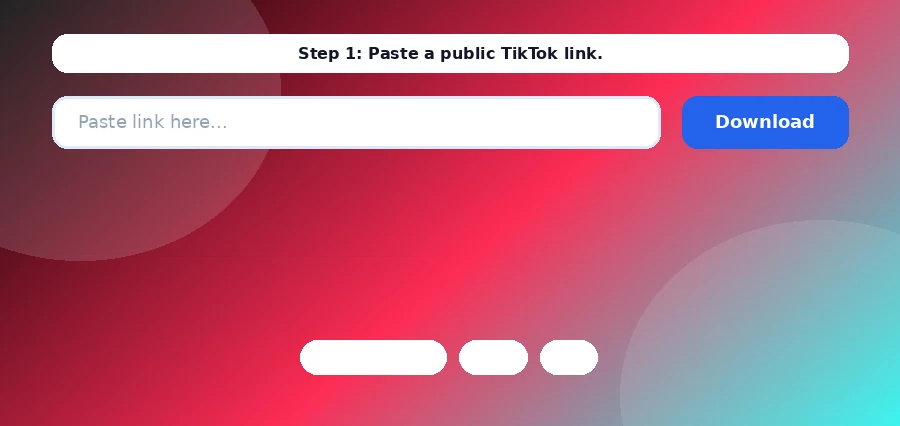
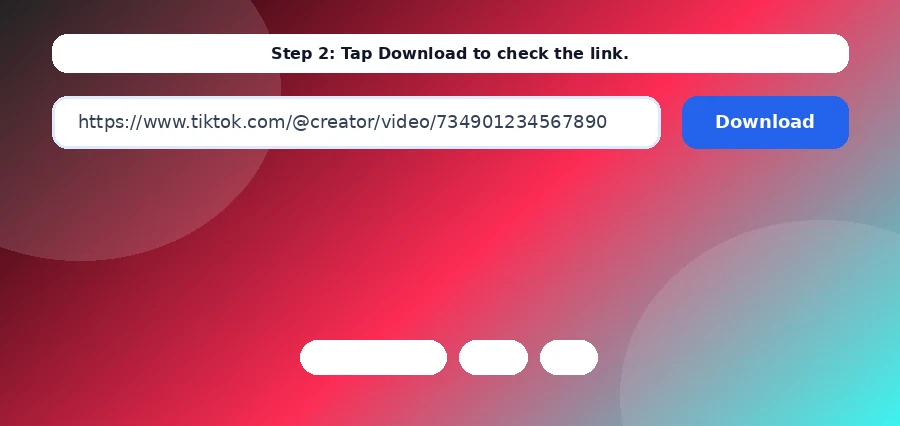
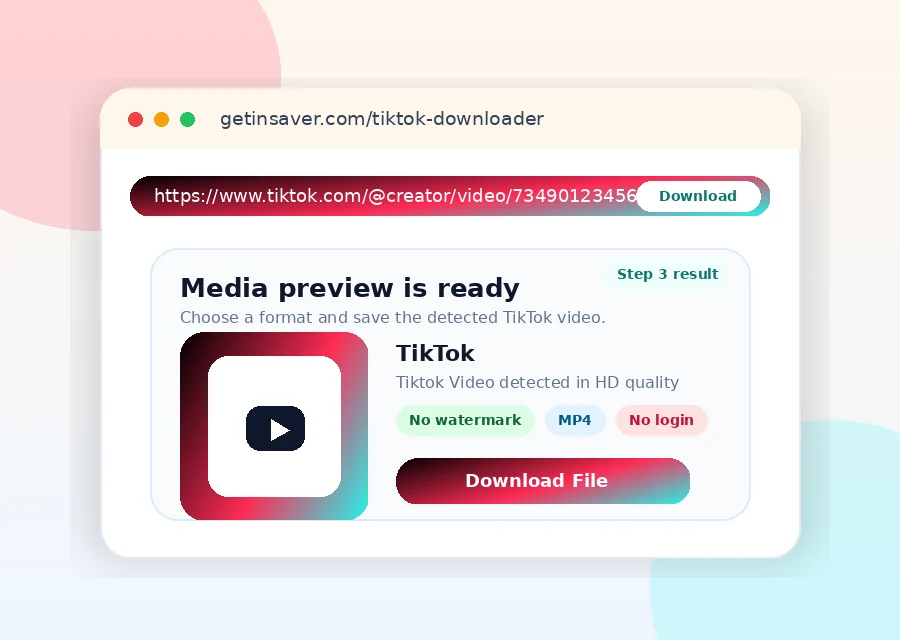
Copy a public TikTok URL, paste it in the downloader, and click Download. GetInSaver returns the available media file.
Can I download without watermark?
For supported sources, GetInSaver provides the cleanest available file from the upstream response.
Why does TikTok download fail?
Failure is usually due to private content, removed posts, geo limits, or temporary source delivery errors.
Can I extract audio only?
When supported by the source response, audio extraction options may be available.
What format do I get?
Videos are generally delivered as MP4 for broad compatibility.
Is it safe to use?
Yes. GetInSaver is browser-based and does not require TikTok account login.
Does it work on mobile?
Yes. TikTok downloader works on Android, iPhone, and desktop browsers.
Can I download TikTok stories without a watermark?
Yes. Copy the story link, paste it above and download it. The MP4 you get has no TikTok logo or username added. If the creator added text or a logo to the video themselves, that remains, because it is part of the original video.
Can the creator see that I viewed or saved their TikTok story?
No. GetInSaver fetches the story without your TikTok account. You never sign in here, so your name is not added to the story viewer list, and the creator gets no notification.
Where do downloaded TikTok videos get saved on iPhone and Android?
On iPhone, Safari saves the video to the Files app, in the Downloads folder. To move it to Photos, open it in Files, tap Share and choose Save Video. On Android, the video goes to the Downloads folder and also shows up in your Gallery or Google Photos.
Is the GetInSaver TikTok downloader free and safe to use?
Yes. It is free, there is no sign-up, and there is nothing to install. We never ask for your TikTok password, and it only works with public videos and stories.